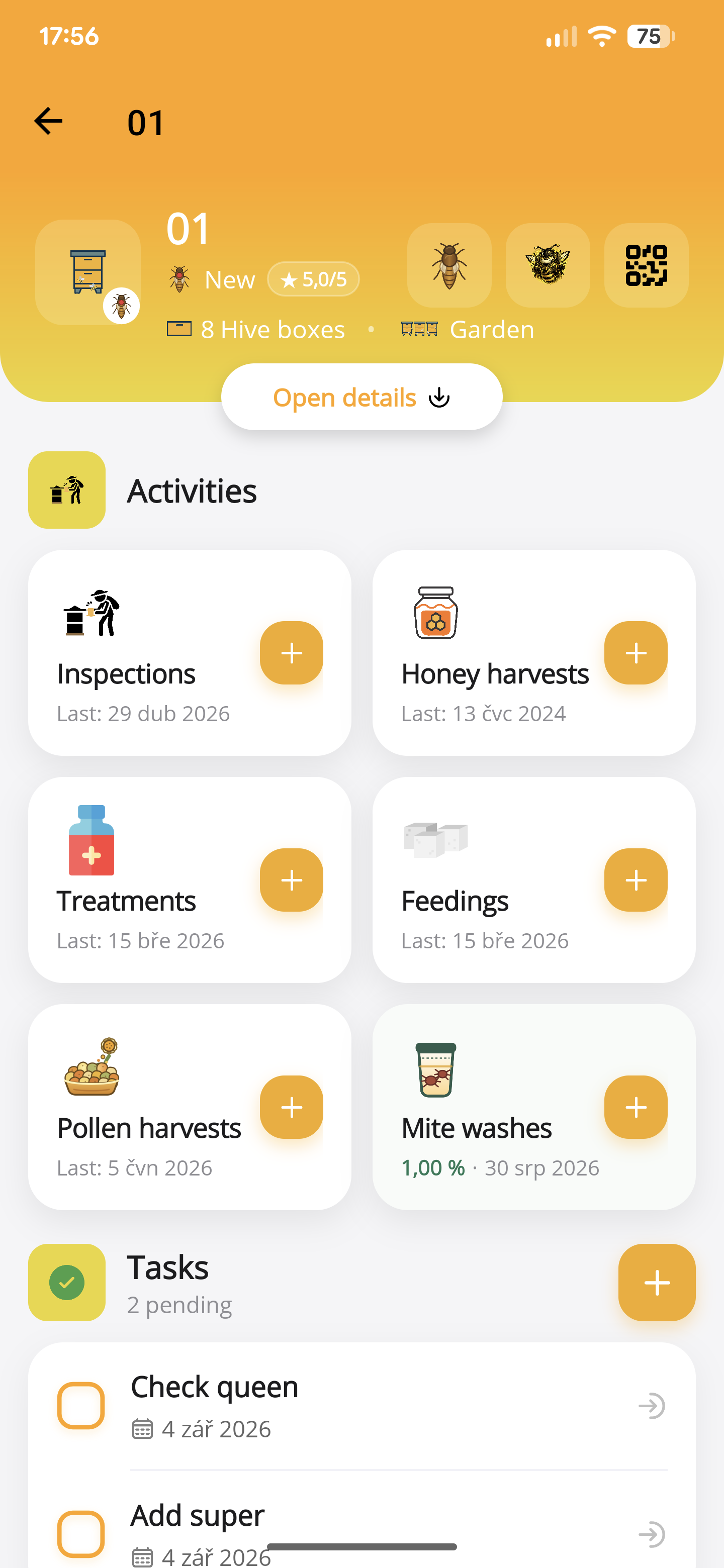
Remember the last visit.
Queen changes, treatments, feeding and harvests, all connected to the right hive.
The beekeeping app for life at the hive
Keep every hive’s history in your pocket. Record inspections by voice, remember the next task, and know what needs attention before you arrive.
Free for up to 5 hives. No subscription required.
See how voice inspections work
A little less paperwork. A lot more perspective.
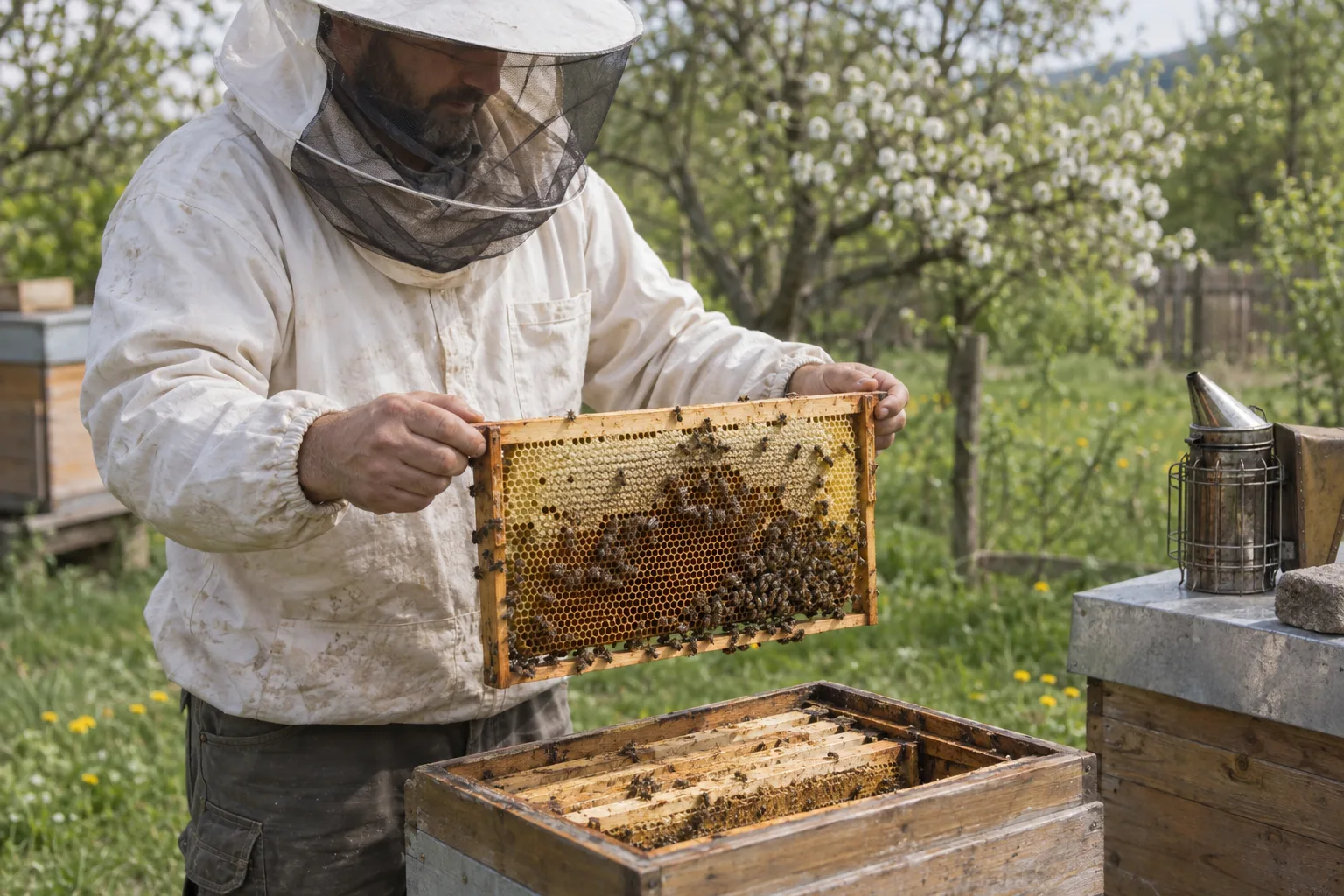
Example inspection
“Queen seen. Eggs present. Six frames of brood.”
An inspection, ready for your review.
iOS & Androidone account, one hive history
Cloud-synced recordsYour hive history, kept together
Built by a beekeeperfor practical field work
Queen changes, treatments, feeding and harvests, all connected to the right hive.
Tasks and reminders turn “I must remember” into a plan for your next visit.
Compare queens, follow colony development, and see your harvests and costs in context.
AI voice inspections
From queen observations to feeding, honey and pollen harvests, treatments, mite washes and the next task. Describe your visit in your own words. ApiNote prepares separate records for you to review and save.
Recorded walkthrough
Press play to follow this example from spoken observations to reviewed records. Or explore a result below.
In this recording
Or jump straight to the results
For today’s inspection, ApiNote automatically adds current weather using the apiary’s location — including temperature, wind and humidity, when weather data is available.
Your hive. Your observations. You review every record before saving.
This walkthrough. This recording includes an inspection, a feeding and a task. Your records depend on what you describe.
Queen and eggs seen, queen cells and their type, brood pattern, colony strength, stores, and changes to boxes or frames. You can also dictate your own numeric queen ratings; a description such as “calm” stays an observation, not an invented score.
“Queen seen, eggs present. No queen cells. Added two wax foundations. Temperament four out of five.”
Record the feed name, mass, syrup ratio and feeding method when you mention them. Fondant, sugar syrup and pollen patties remain distinct. If you give only a volume, it stays in the notes; add the mass during review.
“Added one kilogram of fondant today.”
Keep honey and collected pollen in their own harvest records, with the weight and any details you mention: honey type and water content, or pollen colour and botanical origin. Bees bringing pollen into the hive is an observation, not a harvest.
“Collected 250 grams of yellow pollen from the trap today.”
Describe a treatment you have carried out, including the product, dose, units, method and mite fall you recorded. A treatment planned for later belongs in a task. The assistant documents your work; it does not prescribe a treatment.
“Treatment completed today. Mite fall counted afterwards: twelve.”
Say the method, number of bees sampled and mites counted, plus whether the wash was before or after treatment. ApiNote calculates the infestation percentage from those counts. Missing sample details need your review; sugar rolls and sticky-board counts are not recorded as washes.
“Alcohol wash today: 300 bees, six mites. Sample taken before treatment.”
Plan separate follow-up actions in the same recording. Say a date or a phrase such as “in a week” or “next week”, then check the proposed date. Reminders start enabled unless you ask for no reminder; phone notifications also need permission.
“Next week, check the food stores. In three days, check the new foundations.”
Take a look inside
Explore the actual app screens. Everything you record has a place, from the individual hive to the landscape around your apiary.
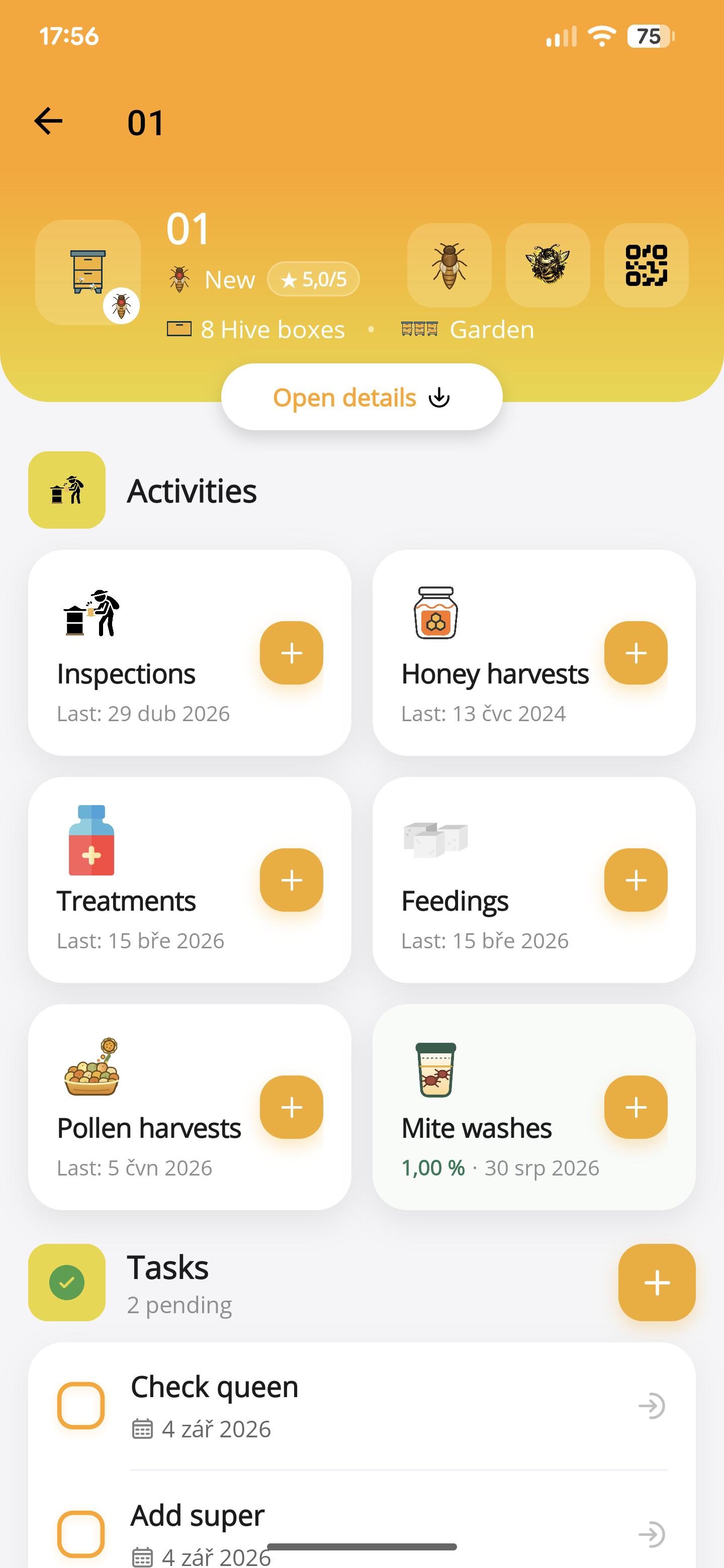
01 / Every detail connected
What did you see last time? When was the treatment? Which queen is in this hive? Open one record and find the context for your next decision.
02 / A clearer start to the day
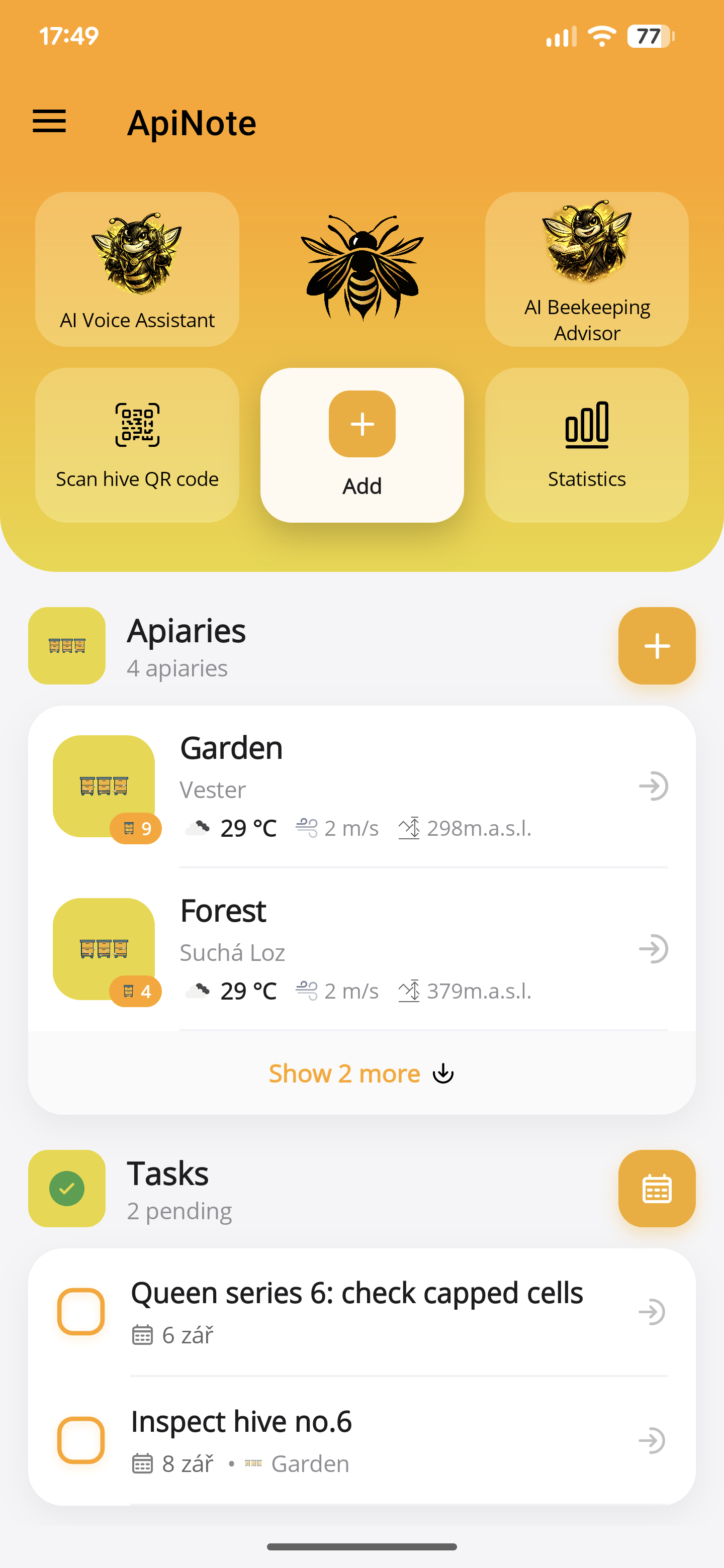
Start with your open tasks and recent work. Move straight into an apiary, scan a hive, or add a record while the details are fresh.
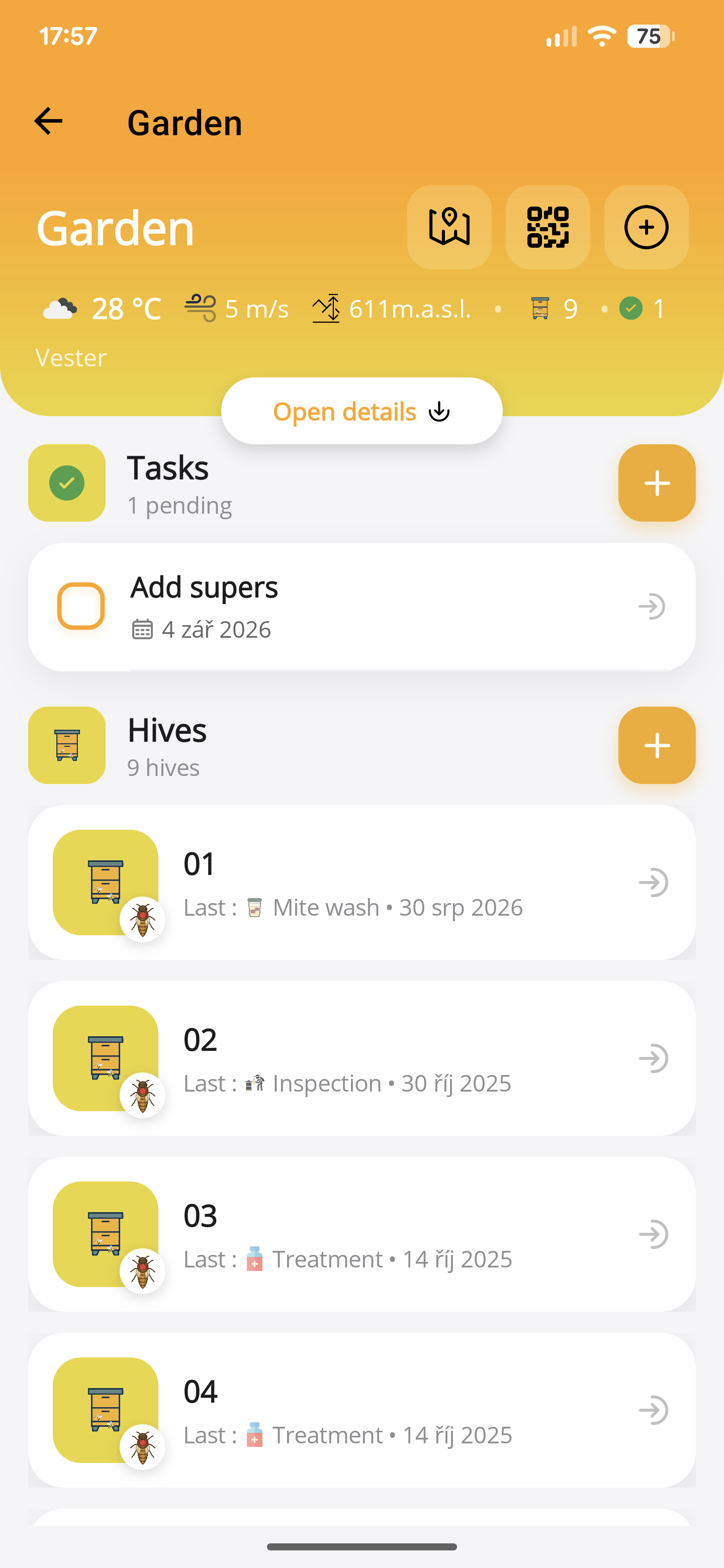
03 / Arrive prepared
Check the weather, review the work ahead, and see your hives together before you set off. Less trying to remember. More knowing what to do.
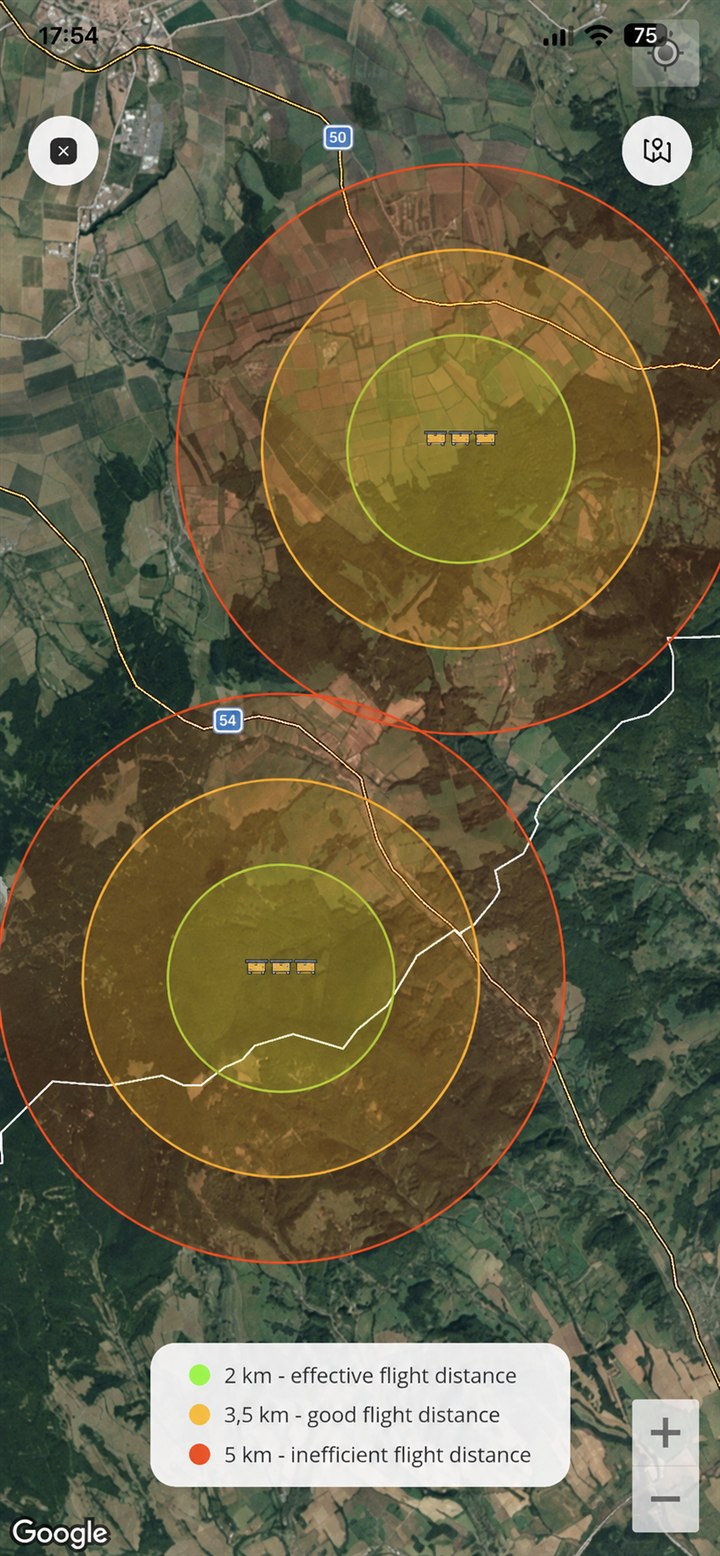
04 / Beyond the hive
View flight ranges around your apiaries and understand their relationship to the surrounding landscape and one another.
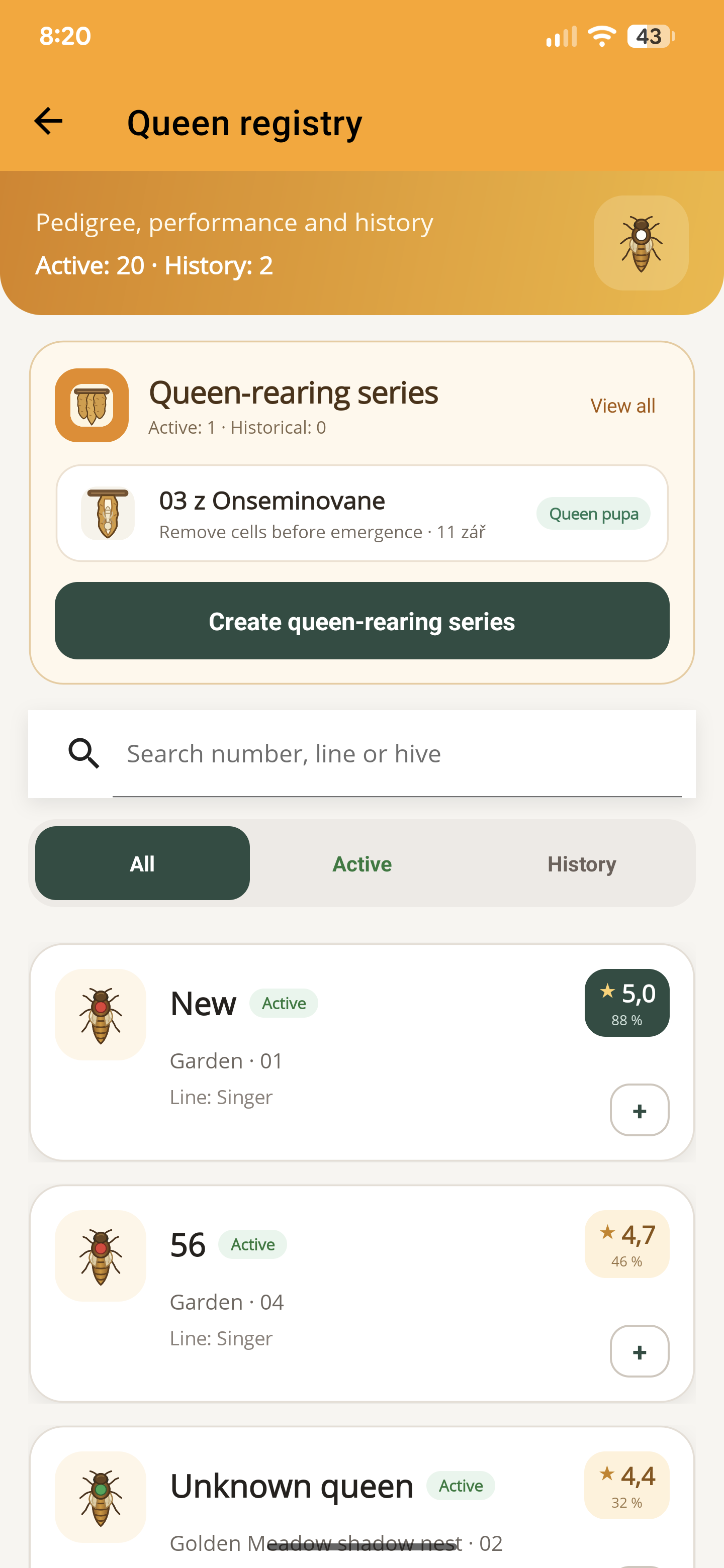
05 / Queens & breeding
Find a queen by number, line or hive. Keep active queens, their history and your current rearing series in one registry.
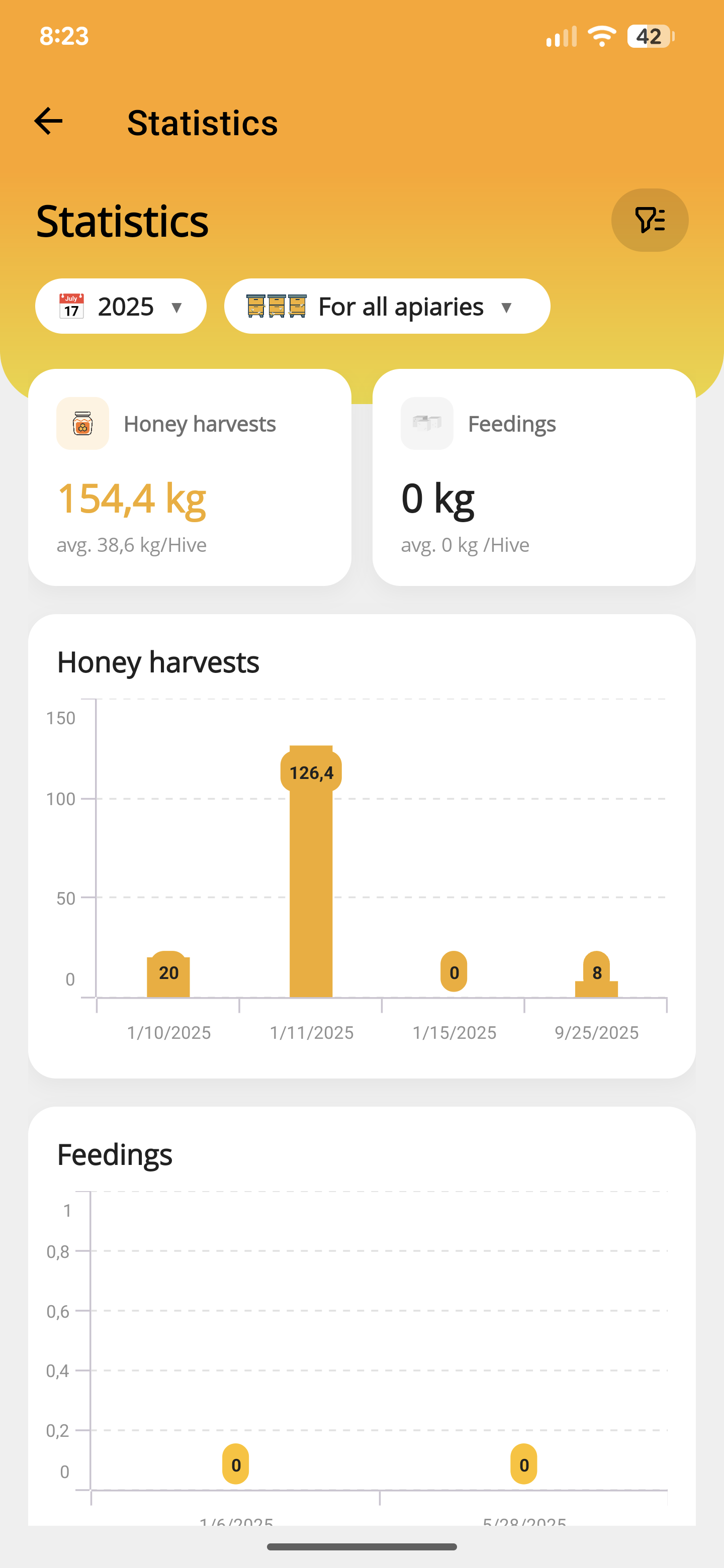
06 / Statistics
Choose a year and apiary to review recorded harvests and feeding. See the total, the average per hive and the entries behind the season.
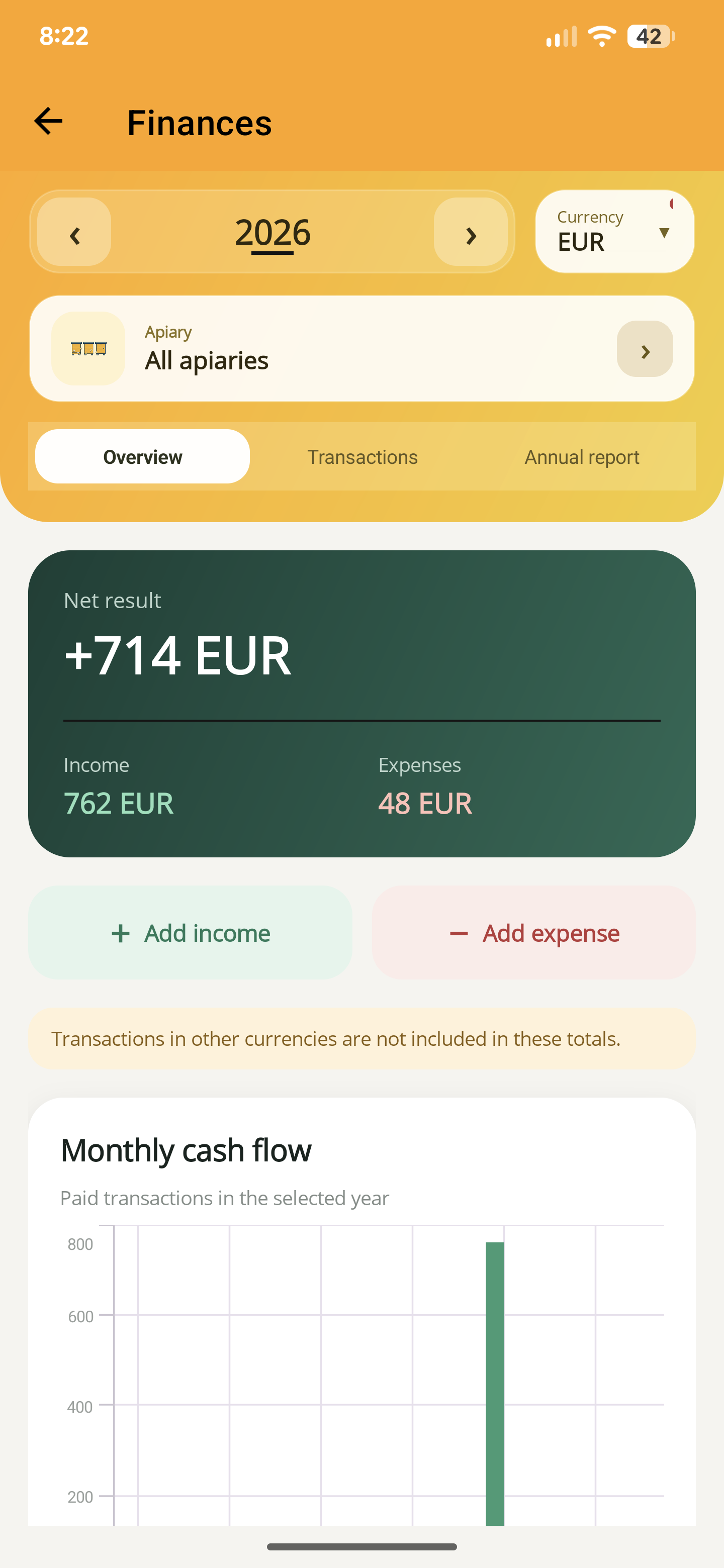
07 / Finances
Record income and expenses, then review the net result and monthly cash flow by year, currency and apiary. Different currencies are kept separate.
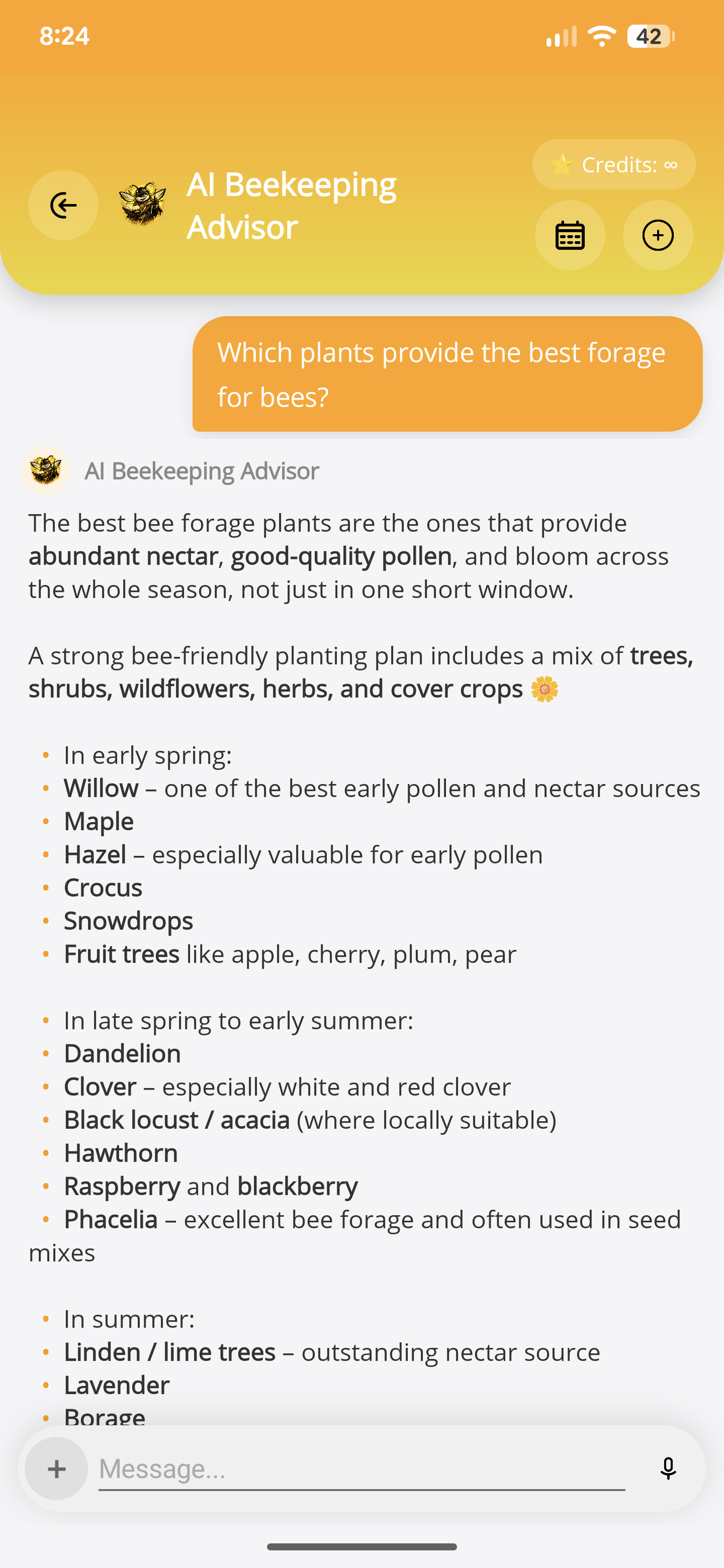
08 / AI advisor
Ask the in-app advisor about a beekeeping topic, such as forage through the season, and continue the conversation. Check AI answers against local conditions and expert guidance.
The rest of your beekeeping year, covered
Start with the records you need today. Explore the tools that help as your season and your apiary develop.
All featuresCapture the work as it happens, without rebuilding the story at home.
Dictate inspections, feeding, harvests, treatments, mite washes and tasks. Review, then save.
Inspections, photos, colony strength, observations, boxes, and frames in context.
Log mite washes, infestation levels, treatments, methods, and outcomes.
Keep the colony’s most important history connected and comparable.
Track origin, breed, line, mating, status, predecessors, and successors.
Compare temperament, brood pattern, hygiene, strength, yield, and resistance.
Plan replacements and follow breeding series from the mother queen onward.
Turn scattered intentions into a practical plan for each apiary.
Schedule work for one hive, several hives, or an entire apiary.
See conditions, elevation, locations, and foraging ranges before you leave.
Open the right hive instantly and record shared work across multiple colonies.
Use the season’s data instead of letting it disappear into a notebook.
Follow trends, production, income, and costs across the season.
Bring a beekeeping question into a focused assistant inside the app.
Prepare syrup, patties, oxalic acid, and formic acid with purpose-built tools.
Keep records protected and export the datasets you choose whenever you need them.
A small first step for your next hive visit
Download ApiNote, add your apiary, and make your first record. Build your hive history one visit at a time.
No subscription needed for the free version. AI credits are shared across voice inspections and the AI assistants.
Good to know
Yes. Manage up to five hives without a subscription and start building your colony records. The free version also includes five AI credits every seven days, shared across voice inspections and the AI assistants. Pro adds more hives and expanded access to tools.
ApiNote is available for iPhone and iPad on the App Store, and for Android devices on Google Play.
No. You can enter inspections and other hive records manually. Voice is an additional way to capture your observations when typing is inconvenient, and every AI-proposed record is shown for review before saving.
Choose an apiary and hive, then describe your observations, completed work and next steps. ApiNote can draft an inspection, feeding, treatment, honey harvest, pollen harvest, mite wash and follow-up tasks from the same recording. Check the proposed dates, quantities and reminder settings, edit the drafts and choose what to save.
You can keep inspections, queen records, treatments, feedings, honey harvests, pollen harvests, mite washes, photos, weights, and connected tasks.
No. Voice transcription and analysis require an internet connection. Your proposed records are still shown for review before they are saved.
Yes. Choose the datasets you want and export them as CSV files, including hive records, inspections, feedings, harvests, treatments, queens, tasks and finances.
ApiNote Journal
Keep brood observations, stores, queen notes and follow-up work with the right hive. Learn the manual and voice inspection workflow in ApiNote.
UpdatedReview stores, colony condition, varroa follow-up and hive protection before winter. A practical checklist that avoids one-size-fits-all dates and feed targets.
UpdatedA practical hive record checklist: inspections, queens, feeding, treatments, mite counts and harvests, with clear next actions for your next apiary visit.
UpdatedBuilt by a beekeeper. Made for your next visit.
Your bees need your attention. Your records can come with you.
Free for up to 5 hives