ApiNote guides
How to compare queens side by side in ApiNote
Want to compare a few queens without opening and closing each record? Select them in the queen registry, then view their scores, colony records and pedigree side by side. Here is how to make the selection and read the comparison.
Before you start
You need at least two queens already recorded in ApiNote. Saved inspections and queen evaluations make the comparison more useful; an empty record cannot tell you how a queen has performed. The comparison uses your records, not a new assessment of the bees.
1. Open the queen registry
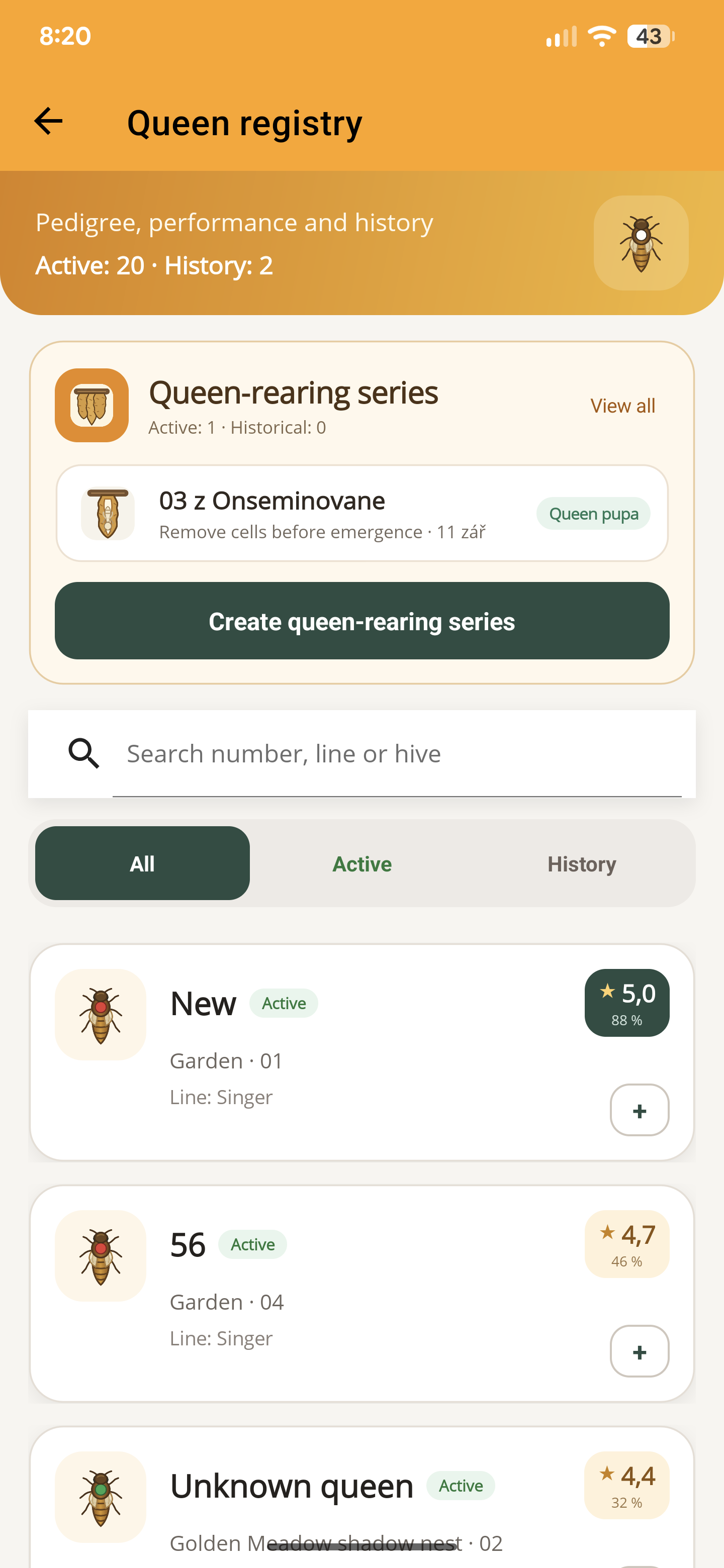
Open the side menu from the home screen and tap “Queen registry”. You will see queen cards with their hive, apiary and available rating.
Use “Active” for queens currently in your colonies, “History” for historical queens, or “All” to include both. The search field can narrow the list by a queen’s name or number, line, hive or apiary.
2. Select two to four queens
Tap the small + on a queen’s card to select it. The symbol changes to a check mark. Repeat for the other queens you want to compare; tapping the check mark removes a queen from the selection.
Choose at least two and no more than four. The “Compare selected” button shows the number selected. Tapping the main part of a queen card opens her detail instead of selecting her.
3. Tap “Compare selected”
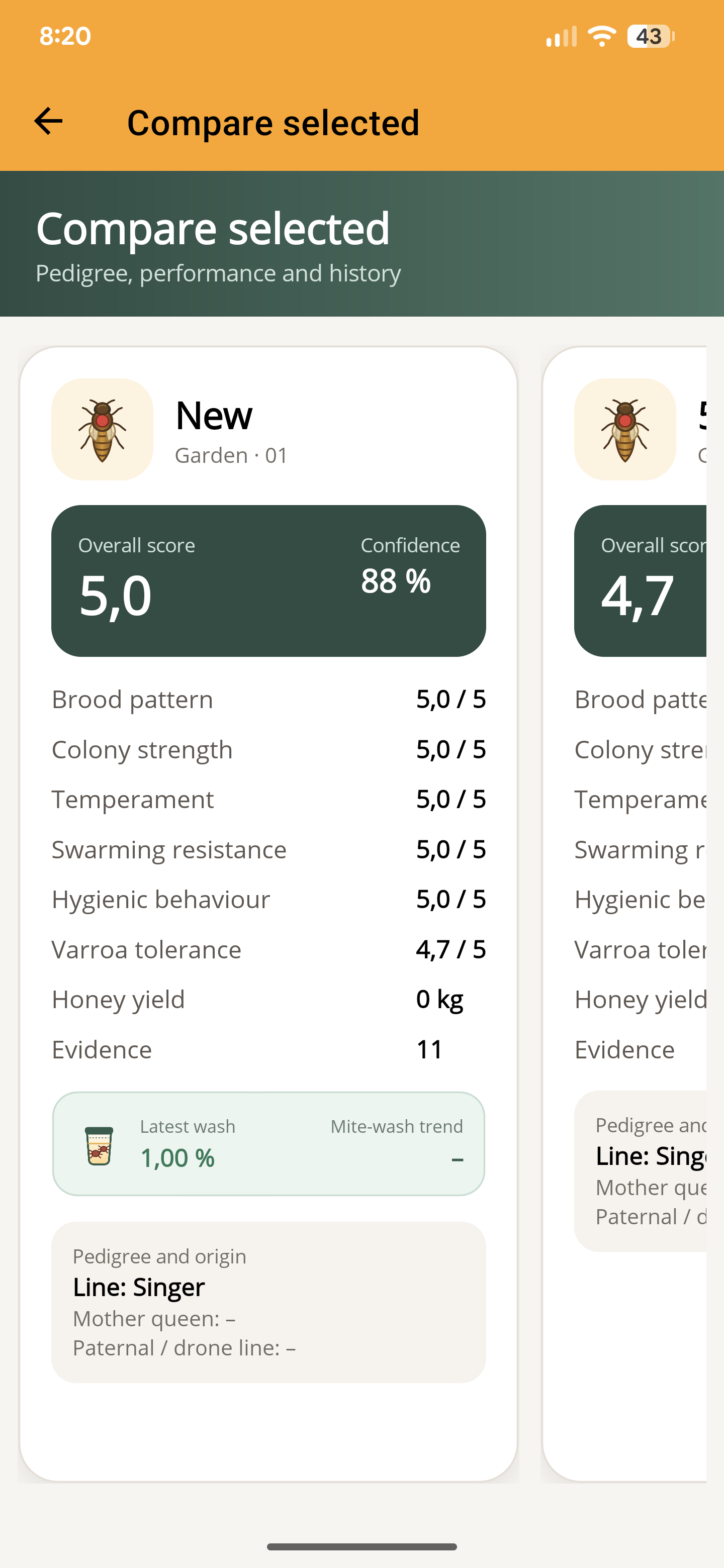
Open the comparison and swipe horizontally to move between the queen columns. Check the name and hive at the top of each column before comparing the same row across queens.
Look beyond the overall score. The view includes brood pattern, colony strength, temperament, swarming resistance, hygienic behaviour, Varroa tolerance and recorded honey yield. Pedigree and origin information sits below the performance figures.
4. Check “Confidence” and “Evidence”
Read these alongside the score. Confidence reflects the coverage and amount of information available to the app. It is not a probability that a queen is genetically superior, and “Evidence” should not be read as a simple count of inspections.
A high score supported by very little information deserves another look. Compare the observations behind it and consider differences in colony age, location and recorded work. A missing rating is not a poor rating.
5. Return to the record for the next action
Go back to the registry and open the queen’s card when you need her detailed history. If a comparison raises a question, record another observation or create a follow-up task rather than changing a queen record just to improve its score.
If the app asks you to select between two and four queens, return to the registry and check the selection count. No separate comparison record needs to be saved.
ApiNote · iOS & Android
Good notes make the next visit easier.
Give every colony a history you can find again. ApiNote is available for iOS and Android, free for up to five hives.
Compare Free & ProKeep exploring
How to create a hive task and reminder in ApiNote
Turn a follow-up check into an ApiNote task. Choose the hive, set a date and optional phone reminder, then mark the work complete in your calendar.
Updated
How to create a queen-rearing series in ApiNote
Set up a queen-rearing series in ApiNote: choose the cell-builder colony and breeder queen, enter brood age, and link upcoming milestones to calendar tasks.
Updated
How to record a hive inspection in ApiNote
Keep brood observations, stores, queen notes and follow-up work with the right hive. Learn the manual and voice inspection workflow in ApiNote.
Updated