ApiNote · Queen management
There is more to a queen than her colour mark.
A replacement decision is easier to explain when origin, history and your own observations are still together.
Free for up to 5 hives
01
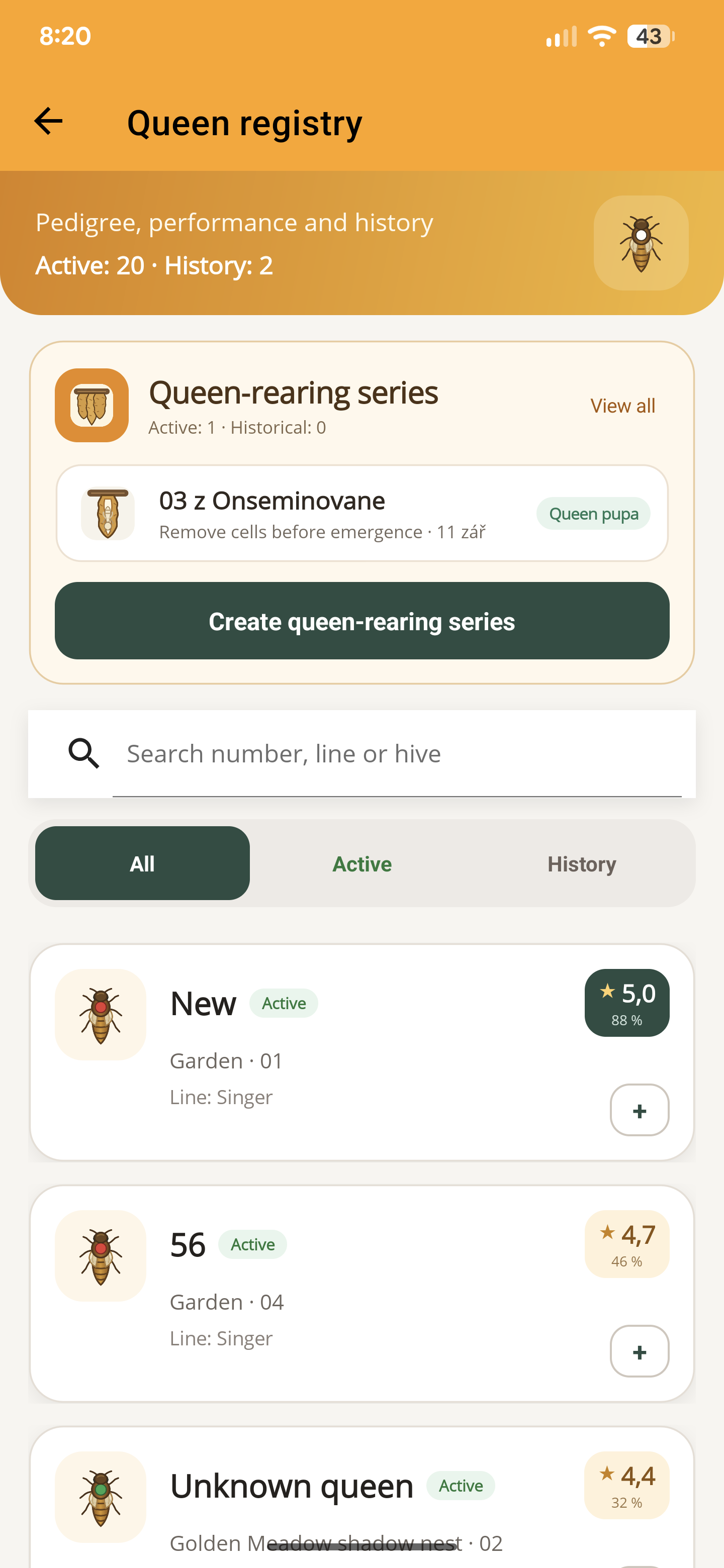
Keep origin in view
Record the queen information you know and preserve the distinction between known lineage and an assumption.
02
Connect evaluations
Keep your own queen observations and evaluations useful over time, instead of relying on memory at the end of a season.
03
Follow breeding work
Manage breeding series and queen-related records alongside the colonies they belong to. The dates help you reconstruct the work.
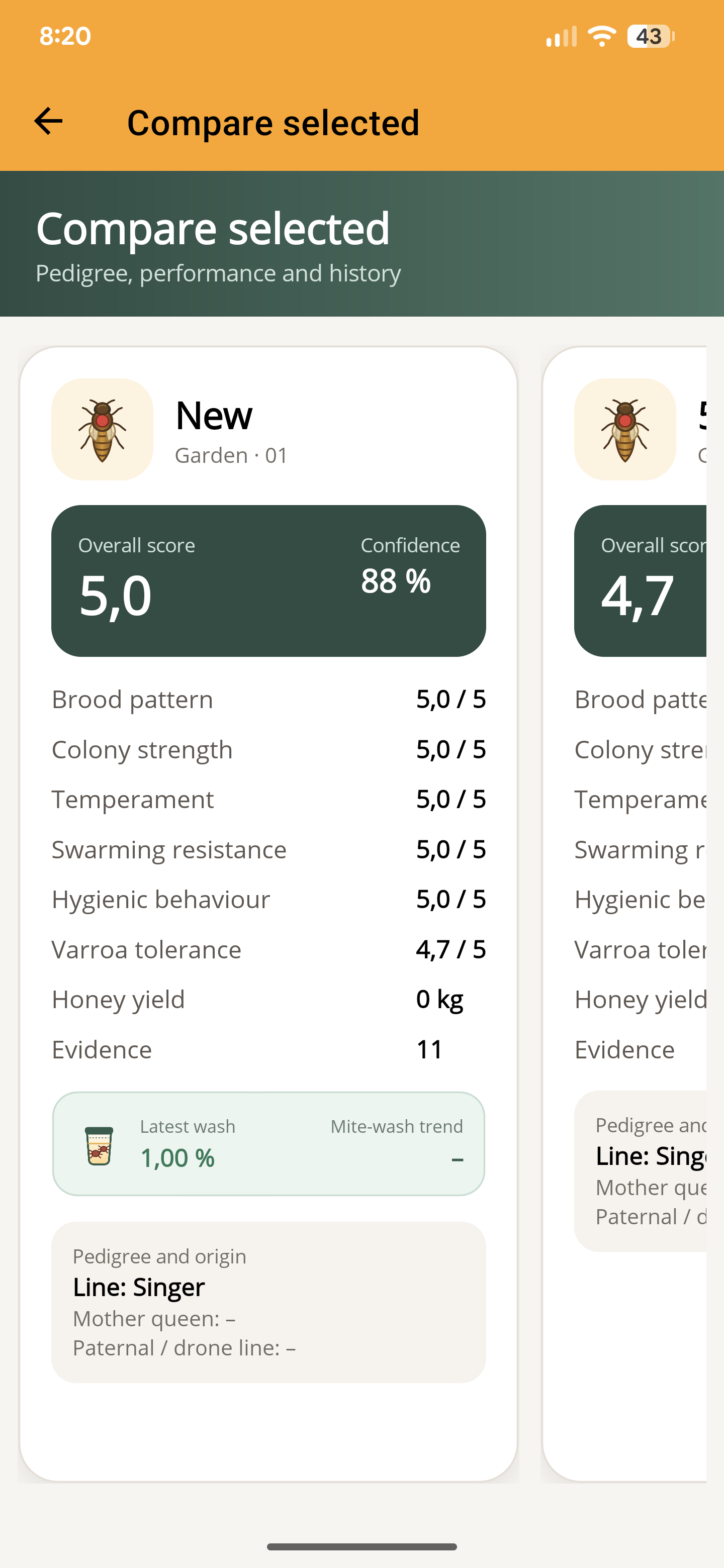
Compare the evidence
Compare your recorded evaluations side by side: brood pattern, temperament, colony strength and more. See the evidence count and confidence behind each score.
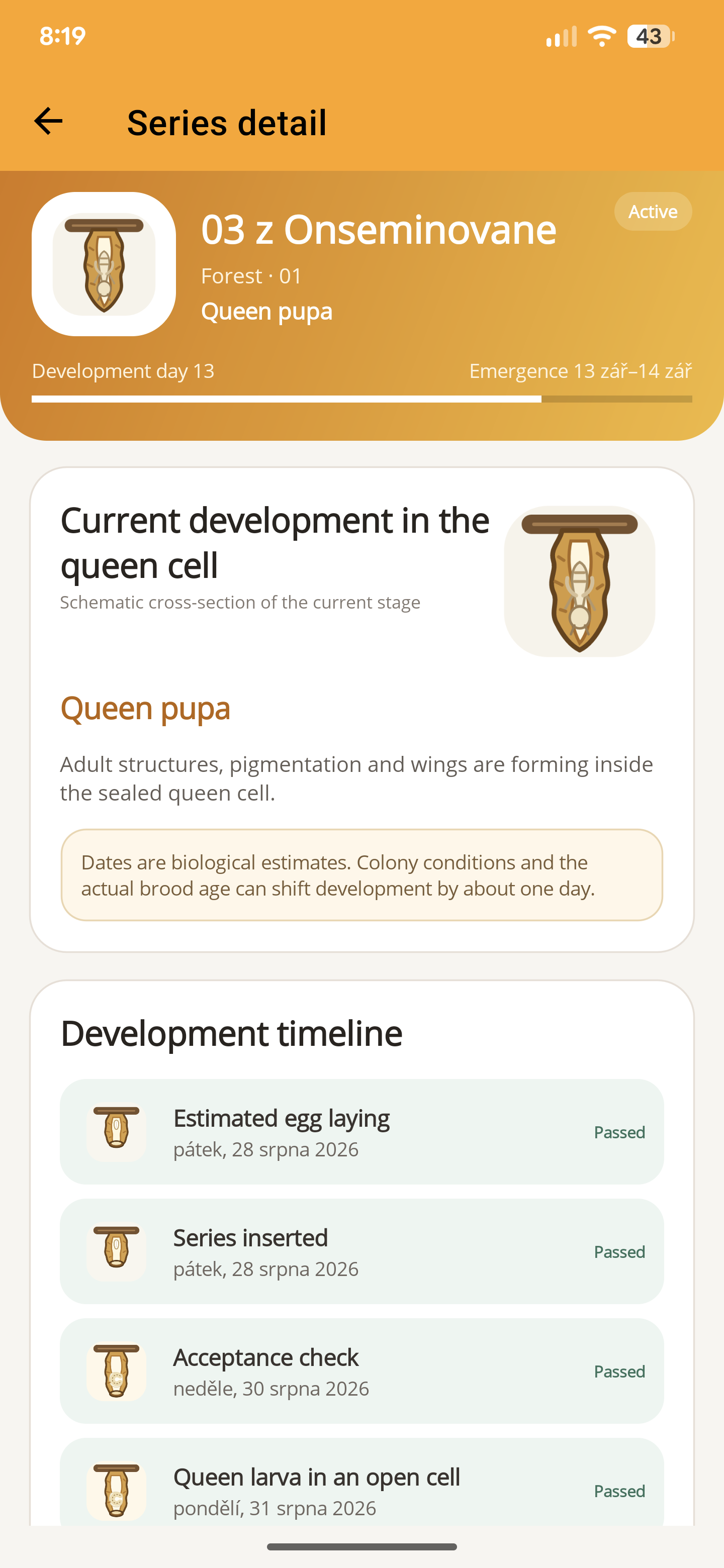
Follow the next stage
See the current development stage and the estimated emergence window for a rearing series. The timeline keeps completed and upcoming stages together. Dates are biological estimates.
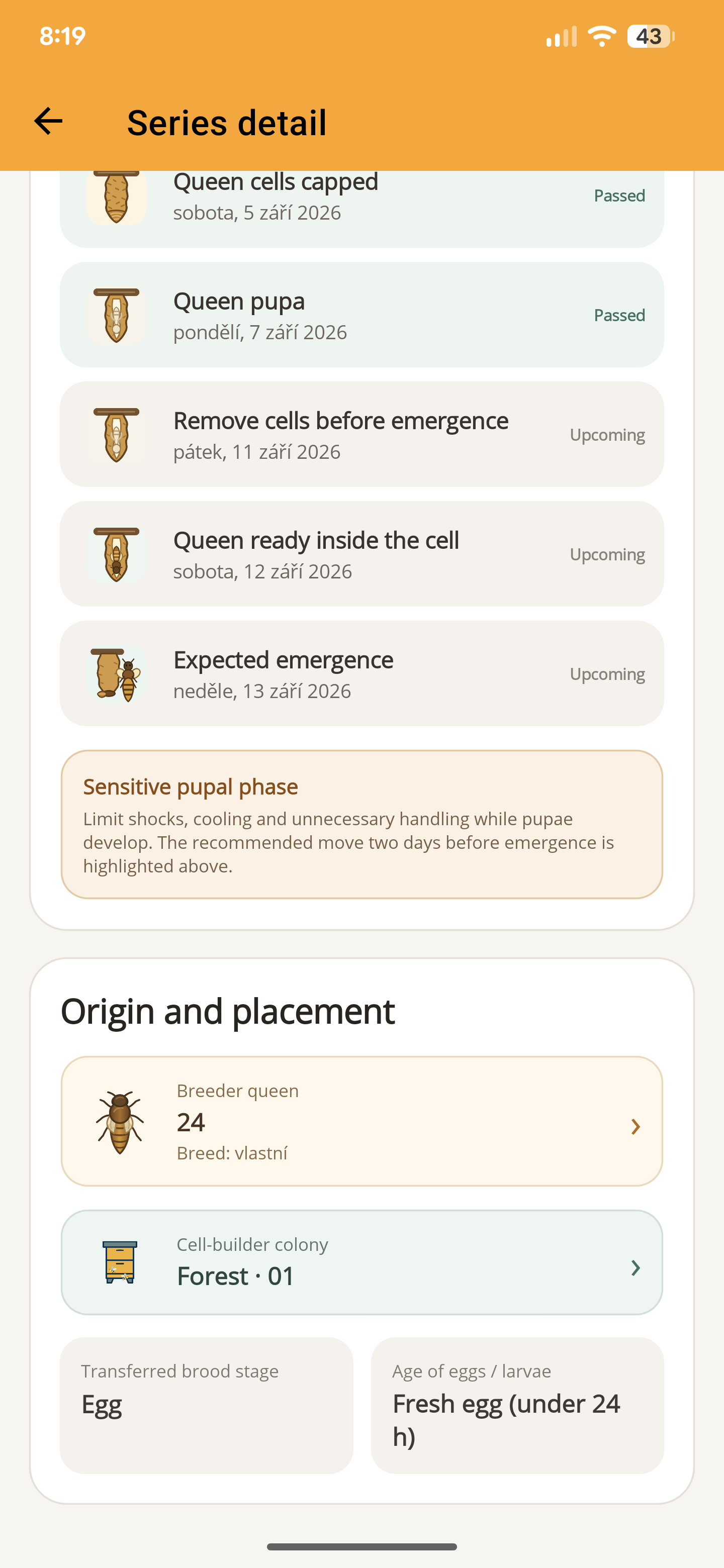
Keep the origin connected
Keep the breeder queen, cell-builder colony and transferred brood stage with the series, alongside the upcoming work.
- Open the relevant queen records and enter the origin and identity you know.
- Add observations and evaluations as the season develops.
- Review the queen’s history with the colony context before a breeding or replacement decision.
Before you start
One important detail.
Does ApiNote decide which queen I should replace?
No. It helps keep the information behind your decision organised. Interpret it with the colony’s condition, local circumstances and appropriate experience.
A small first step for your next hive visit
Start with one hive. Keep up to five, free.
Download ApiNote, add your apiary, and make your first record. Build your hive history one visit at a time.
- Manage up to 5 hives
- Keep inspections and colony records together
- Try AI features with 5 credits every 7 days
No subscription needed for the free version. AI credits are shared across voice inspections and the AI assistants.
- 01Get the app
- 02Add your apiary
- 03Record your first visit
Find your next tool