ApiNote · Apiary management
Every site. The right hives. A clearer plan.
When your colonies are spread across sites, the question is not only what needs doing, but where. Give each apiary a useful structure.
Free for up to 5 hives
01
Separate place from colony
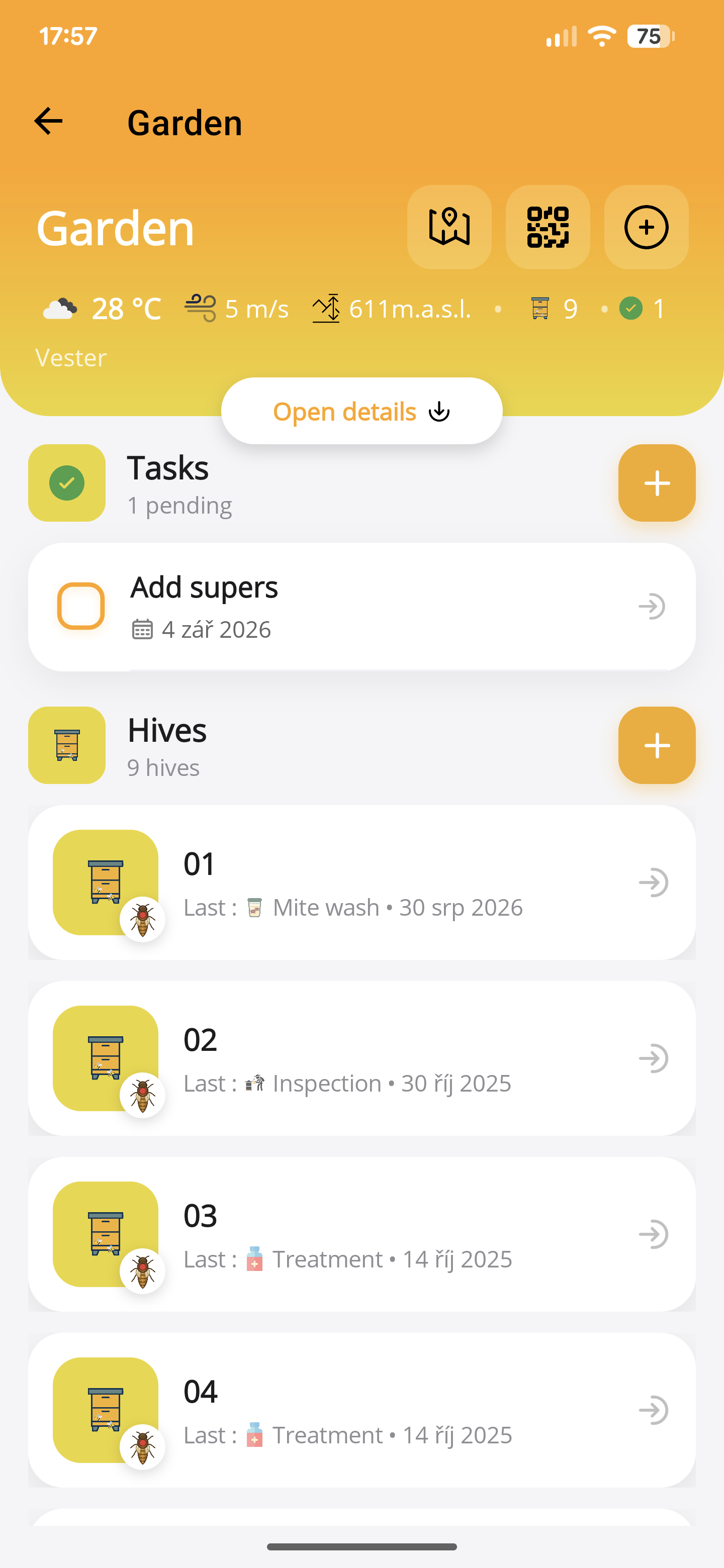
Keep a named apiary and the hives within it. Stable identifiers help you avoid entering work against the wrong box.
02
Prepare the right visit
Review the site and connected colony records before leaving. Keep tasks with the hive or apiary they concern.
03
Keep location useful
Add site information for planning. Pro weather and flight-radius tools provide extra context, not a substitute for a visit.
- Create a named apiary and add its location where relevant.
- Add the hives using identifiers that match the physical labels.
- Review the apiary and its hive histories before planning work at that site.
Before you start
One important detail.
Is the apiary map tracking my bees?
No. Saved locations and radius visualisations are planning tools. They do not show measured flights or live bee positions.
A small first step for your next hive visit
Start with one hive. Keep up to five, free.
Download ApiNote, add your apiary, and make your first record. Build your hive history one visit at a time.
- Manage up to 5 hives
- Keep inspections and colony records together
- Try AI features with 5 credits every 7 days
No subscription needed for the free version. AI credits are shared across voice inspections and the AI assistants.
- 01Get the app
- 02Add your apiary
- 03Record your first visit
Find your next tool