ApiNote · Hive records
The next visit starts with the last one.
Remembering that a colony needed attention is not the same as remembering why. Keep each hive’s observations, work and next steps together.
Free for up to 5 hives
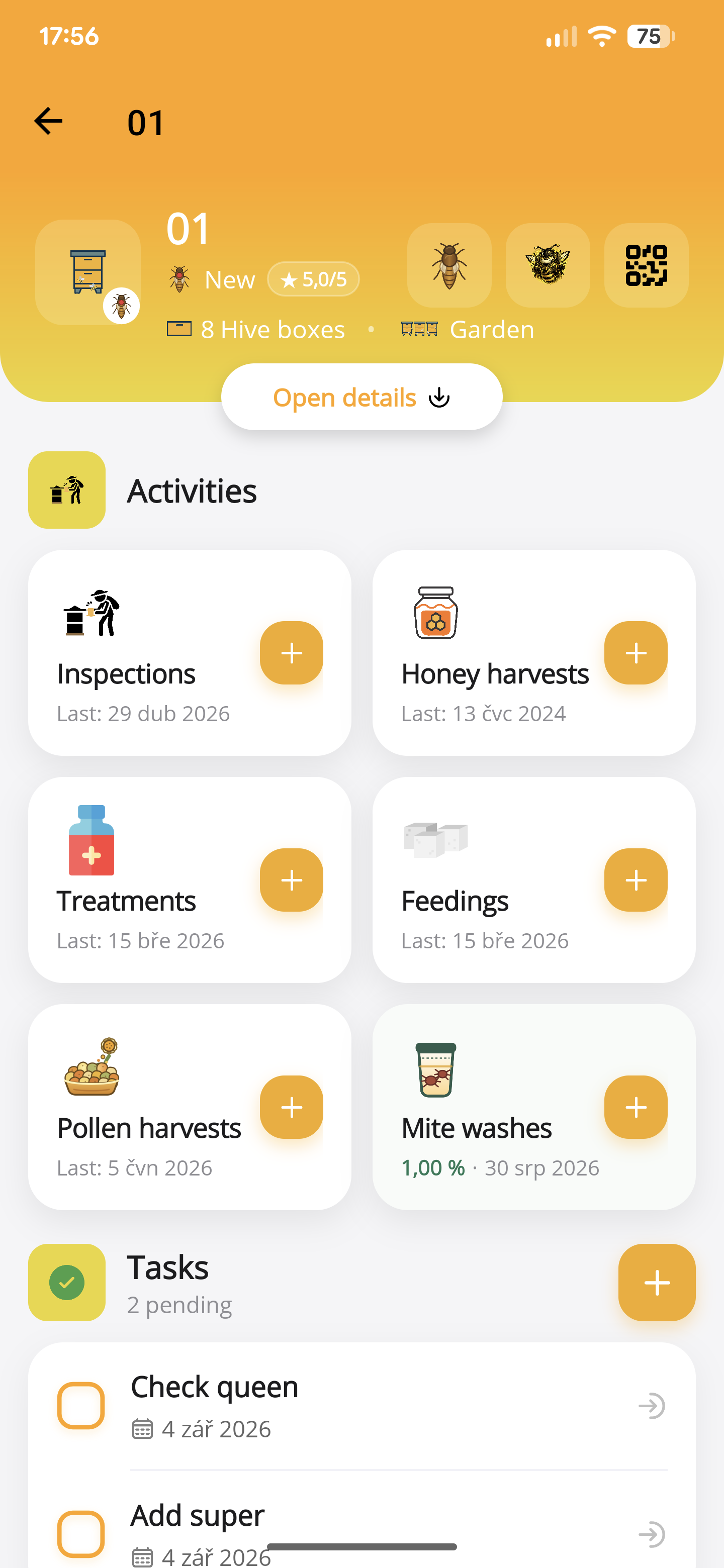
01
One place for the history
Inspections, treatments, feedings, harvests, mite washes and tasks remain connected to the relevant hive.
02
Records with context
Use distinct activity types instead of burying every job in free text. Queen changes and observations can remain part of the story.
03
A copy you control
Export selected datasets as CSV files. Multiple datasets are bundled into a ZIP, created on your device for you to share where you choose.
- Create an apiary and use the same hive identifiers as the labels on your boxes.
- Open the hive and add the appropriate inspection or activity.
- Before the next visit, read the saved history and review outstanding tasks.
Before you start
One important detail.
Can I start without moving all my old notes?
Yes. Set up the current apiary and hives and begin with your next inspection. Free supports up to five hives; Pro supports more.
A small first step for your next hive visit
Start with one hive. Keep up to five, free.
Download ApiNote, add your apiary, and make your first record. Build your hive history one visit at a time.
- Manage up to 5 hives
- Keep inspections and colony records together
- Try AI features with 5 credits every 7 days
No subscription needed for the free version. AI credits are shared across voice inspections and the AI assistants.
- 01Get the app
- 02Add your apiary
- 03Record your first visit
Find your next tool