ApiNote · Apiary maps
Understand the place around your hives.
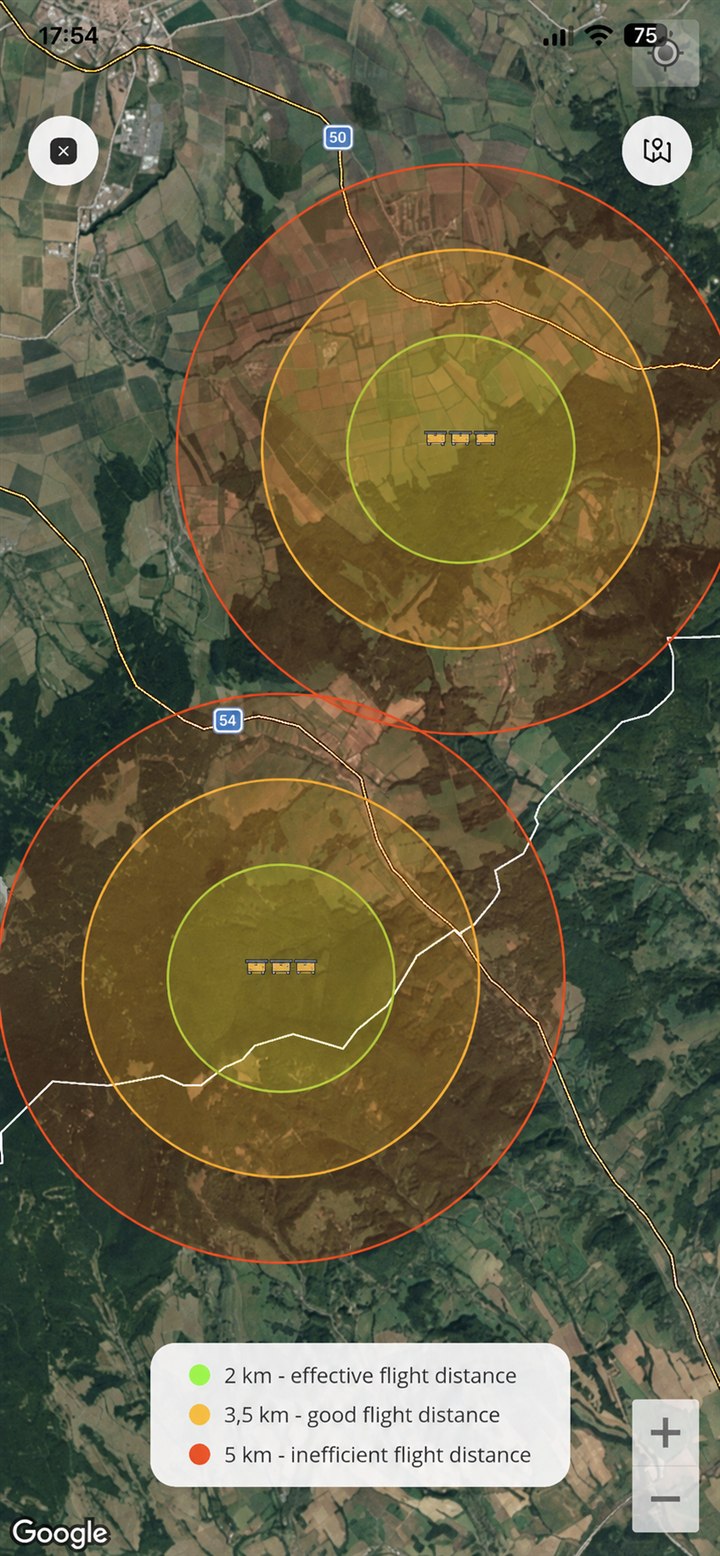
A site is more than a pin. Use saved apiary positions and flight-radius visualisations to plan what to investigate around the stand.
Free for up to 5 hives
01
Find the site context
See saved apiary positions on a map and keep place names consistent with your records.
02
Explore an estimated radius
Use the displayed area as a prompt to investigate surrounding land and resources. It is not a map of measured bee flights.
03
Plan with observations
Combine the map with site visits, seasonal notes and the practical conditions you know at the apiary.
- Add or edit the apiary’s location and verify the saved position.
- Open the apiary map and use the available Pro flight-range view.
- Compare the map with real site observations before making a placement decision.
Before you start
One important detail.
Are these live flight paths?
No. The map uses saved locations and illustrative ranges. ApiNote does not track individual bees or measure their routes.
A small first step for your next hive visit
Start with one hive. Keep up to five, free.
Download ApiNote, add your apiary, and make your first record. Build your hive history one visit at a time.
- Manage up to 5 hives
- Keep inspections and colony records together
- Try AI features with 5 credits every 7 days
No subscription needed for the free version. AI credits are shared across voice inspections and the AI assistants.
- 01Get the app
- 02Add your apiary
- 03Record your first visit
Find your next tool