ApiNote · Voice hive inspections
Inspect the hive. Speak the details.
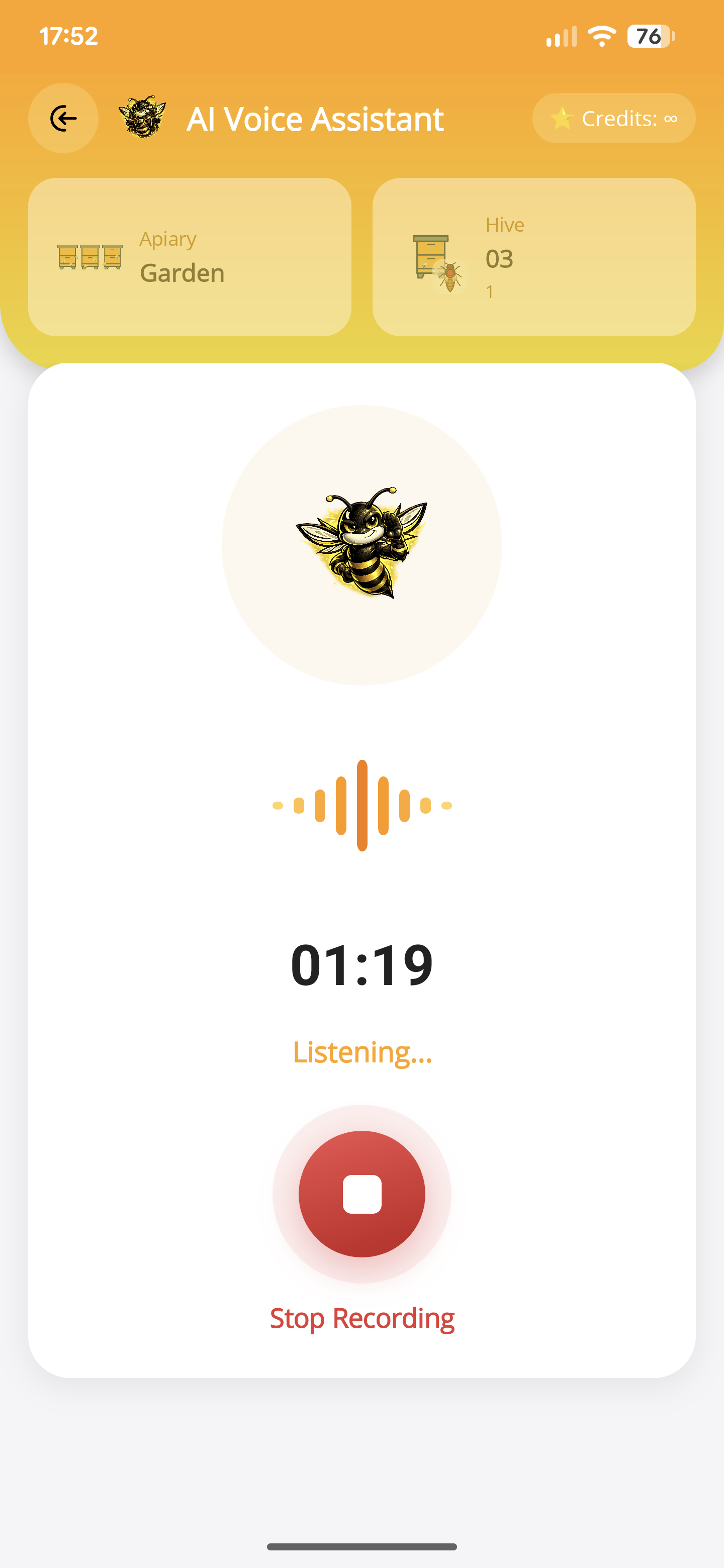
An inspection rarely ends with observations alone. Describe the colony, the work you did and the next task. ApiNote turns your words into separate drafts for the selected hive — including feeding, treatments, honey and pollen harvests, and mite washes.
Free for up to 5 hives
01
Keep the details, not just a voice note
Queen observations, brood, stores, box and frame changes, or your own numeric queen ratings. Describe what you actually checked; review the fields and notes before saving.
02
Give each activity its place
A kilogram of fondant, pollen collected from the trap or the counts from a mite wash can become the relevant feeding, harvest or wash record. Missing measurements remain for you to fill in, not for AI to guess.
03
Leave with the next visit planned
Dictate follow-up tasks and dates alongside today’s work. Check their proposed due dates and reminders in the review. Current weather is added to today’s inspection from the apiary location when data is available.
- Open the voice-inspection workflow for the relevant hive.
- Describe what you saw, completed and want to do next. Give names, quantities, units and dates when you know them. Cloud voice and AI processing require internet and microphone access.
- Review the separate drafts. Check the hive, dates, feed type, quantities and sample counts; correct misunderstandings and fill in missing details.
- Choose which drafts to include, check task reminders and confirm saving. The selected records stay linked to your hive.
AI voice inspections
Speak your inspection.Keep every detail.
From queen observations to feeding, honey and pollen harvests, treatments, mite washes and the next task. Describe your visit in your own words. ApiNote prepares separate records for you to review and save.
- Inspections
- Feeding
- Treatments
- Honey harvests
- Pollen harvests
- Mite washes
- Tasks & reminders
Recorded walkthrough
A visit to the hive, captured in words.
Press play to follow this example from spoken observations to reviewed records. Or explore a result below.
In this recording
Or jump straight to the results
The weather comes with the record.
For today’s inspection, ApiNote automatically adds current weather using the apiary’s location — including temperature, wind and humidity, when weather data is available.
Your hive. Your observations. You review every record before saving.
This walkthrough. This recording includes an inspection, a feeding and a task. Your records depend on what you describe.
What can you record by voice?
Inspection & queen observations
Queen and eggs seen, queen cells and their type, brood pattern, colony strength, stores, and changes to boxes or frames. You can also dictate your own numeric queen ratings; a description such as “calm” stays an observation, not an invented score.
“Queen seen, eggs present. No queen cells. Added two wax foundations. Temperament four out of five.”
Feeding
Record the feed name, mass, syrup ratio and feeding method when you mention them. Fondant, sugar syrup and pollen patties remain distinct. If you give only a volume, it stays in the notes; add the mass during review.
“Added one kilogram of fondant today.”
Honey & pollen harvests
Keep honey and collected pollen in their own harvest records, with the weight and any details you mention: honey type and water content, or pollen colour and botanical origin. Bees bringing pollen into the hive is an observation, not a harvest.
“Collected 250 grams of yellow pollen from the trap today.”
Treatments
Describe a treatment you have carried out, including the product, dose, units, method and mite fall you recorded. A treatment planned for later belongs in a task. The assistant documents your work; it does not prescribe a treatment.
“Treatment completed today. Mite fall counted afterwards: twelve.”
Mite washes
Say the method, number of bees sampled and mites counted, plus whether the wash was before or after treatment. ApiNote calculates the infestation percentage from those counts. Missing sample details need your review; sugar rolls and sticky-board counts are not recorded as washes.
“Alcohol wash today: 300 bees, six mites. Sample taken before treatment.”
Tasks, dates & reminders
Plan separate follow-up actions in the same recording. Say a date or a phrase such as “in a week” or “next week”, then check the proposed date. Reminders start enabled unless you ask for no reminder; phone notifications also need permission.
“Next week, check the food stores. In three days, check the new foundations.”
Before you start
One important detail.
Does voice inspection save without my review?
No. You can edit and select the proposed records before confirming. One recording can draft different activity types and several tasks. For separate events of the same type, the first event is drafted and extra details appear in review notes for separate entry. AI can misunderstand speech; check the results. It documents observations and completed work, not diagnoses or treatment recommendations.
A small first step for your next hive visit
Start with one hive. Keep up to five, free.
Download ApiNote, add your apiary, and make your first record. Build your hive history one visit at a time.
- Manage up to 5 hives
- Keep inspections and colony records together
- Try AI features with 5 credits every 7 days
No subscription needed for the free version. AI credits are shared across voice inspections and the AI assistants.
- 01Get the app
- 02Add your apiary
- 03Record your first visit
Find your next tool